

Updated: 16 Apr 2024
When you are in the process of opening an additional location for your sports camp or retreat business, you might want to know how to structure it within your Bookinglayer reservation system. This article highlights the options that you have.
Option A: An extra location within your existing Bookinglayer account. This turns your Bookinglayer account into a multi-location account and requires you to be on our Pro-price plan.
Option B: A separate Bookinglayer account for the extra location.
Option A is usually favorable but if the second location is owned by a separate business entity you often need to go for Option B. As payment gateways, integrations, and invoice numbering are defined on a Bookinglayer-account level this usually decides for which option you need to go.
A couple of examples of when to go for Option B:
- Your new location needs to be able to send its own invoices (different numbering and company details than the main location).
- Payments are collected via a different merchant account (payment gateway).
The new location uses different accounts from any of Bookinglayer's integrations (such as MailChimp). - The new location has its own logo and identity and you want to use this in your Booking Engine and in your emails.
- There is no need to have a consolidated overview of reservations and reports.
When none of these apply, then you could look into Option A which comes with these advantages:
- You can create users who only have access to the new location's bookings, inventory, lists, and reports.
- Users with access to multiple locations have a consolidated overview of bookings, revenues, and occupancy.
- You have all your bookers, guests, and reservations in a single account and so looking up data on past guests becomes easier.
When the only option is to go for Option B then we can still connect your logins so that you can switch easily between the various accounts without having to enter a password every time.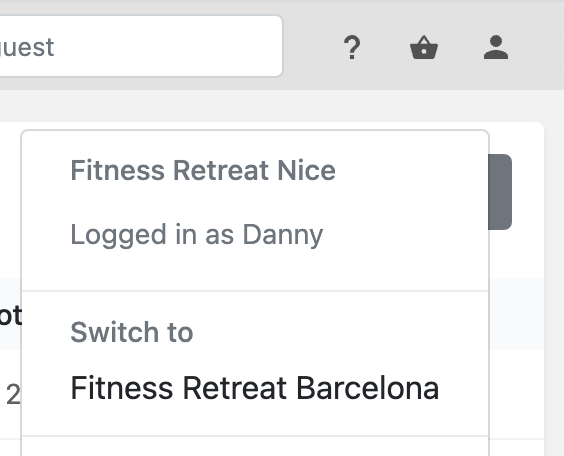
If you still have doubts, consult our team and we'll help you make the best choice.
Related articles

2020 Travel Trends and What They Mean for Your Adventure-Based Business
The travel industry has been growing year by year for some time now. Travelers’ expectations and preferences are changing. As a business owner, how can you adapt to the current travel trends? How to offer your guest the best experiences?

The Best Pre-Arrival Guest Communication Tactics
These pre-arrival guest communication strategies will help you increase overall guest satisfaction and avoid misunderstandings.

Transform the Guest Experience: Tips and Strategies for 2023
Learn how to improve your guest experience. Increase revenue and keep guests coming back with these simple tips.
Keep me in the loop
By subscribing to our newsletter you are notified about new product features.